Planning poker for Jira
Estimate your Jira backlog together. Import the issues, vote with hidden cards, reveal at once and write the agreed estimate back to Jira in one click.
How to run planning poker with Jira
- Connect Jira: The host connects Jira once from the import dialog. Players never need an account.
- Import the issues: Choose issues from a sprint, a board or a JQL query. Each issue becomes a ticket with its link and description.
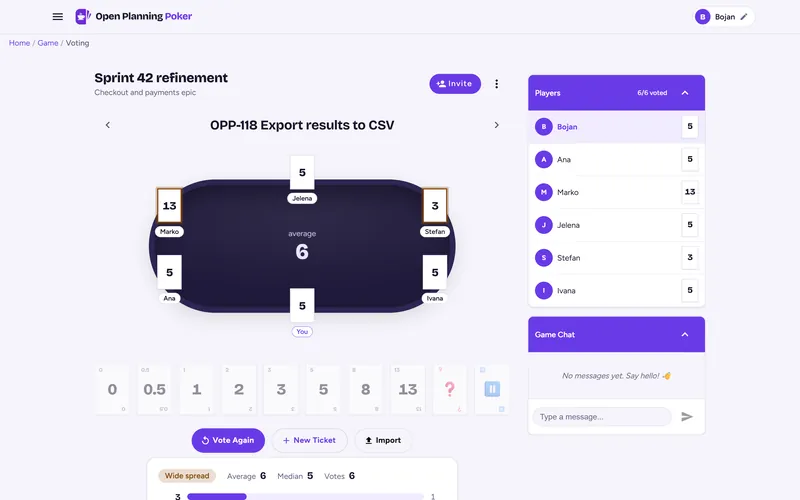
- Vote and reveal: Everyone picks a card in secret. The host reveals, and the room shows the spread, the average and the notes of the lowest and highest voters.
- Save the estimate: After the reveal, save the agreed card to Story Points with one click, or save all estimates of the session at once.
Plan the sprint too
In a team room you set each member's days, get a point budget from past sprints and pick the issues that fit. For Jira, the planned issues move into an active or future sprint of a board in one step.
What is stored
The connection token is stored encrypted on the server and never reaches the browser. Disconnecting deletes it. Read the privacy policy for details.
Questions
Is the Jira integration free?
Yes. Every integration of Open Planning Poker is free, including import and saving estimates back.
Do players need a Jira account?
No. Only the host connects Jira; players join the room with a link.
Last updated: